
Guide · SEO
What Is Keyword Research and Why Does It Matter?
Keyword research is not just about finding popular phrases. It helps you understand what people are actually searching for, why they are searching for it, and what kind of content search results already reward.
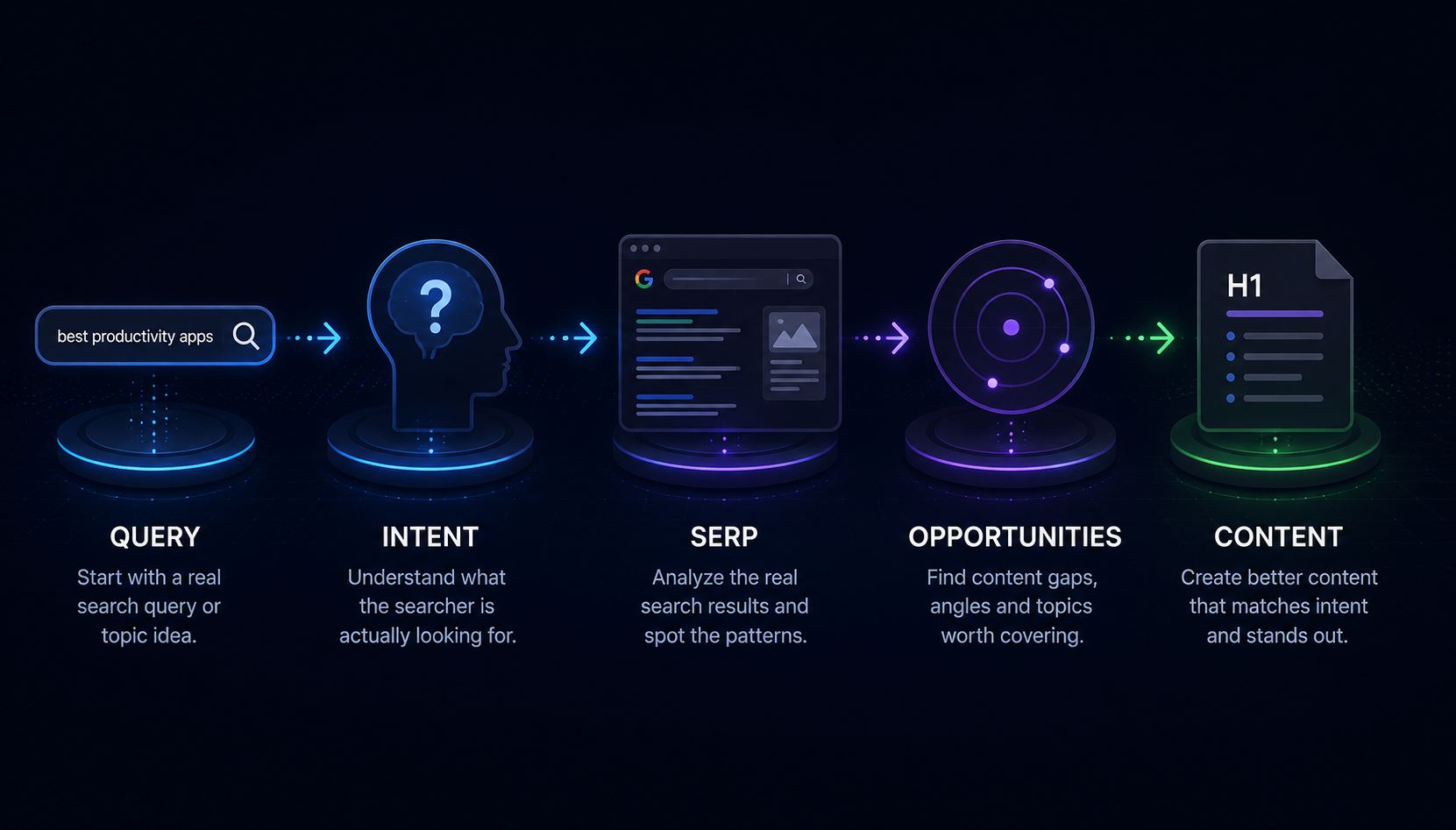
You have an idea for an article.
Maybe it is:
“WordPress SEO.”
Or:
“Best project management software.”
Or something wonderfully specific such as:
“How to reduce food waste in restaurants.”
You open a blank document.
You know roughly what you want to say.
And then comes the question:
“Is this actually what people search for?”
That is where keyword research begins.
What is keyword research?
Keyword research is the process of understanding the words, phrases, questions and topics people use when searching for information, products, services or solutions.
But that definition can make the whole thing sound more mechanical than it really is.
Good keyword research is not just:
find a phrase → put it in the title → repeat it five times.
It is closer to:
understand what people want → understand how they ask for it → understand what kind of page could genuinely help them.
The keyword is the clue.
The search intent is the reason behind it.
A keyword is not always one word
Despite the name, keywords are often complete phrases.
For example:
- wordpress seo;
- best website builder for small business;
- how to improve local seo;
- project management software for small teams;
- how to write a meta description.
These are all search queries.
And each one tells us something about what the person is trying to accomplish.
Why does keyword research matter?
Because you can create excellent content for a question nobody is asking.
You can also create technically perfect pages that target the wrong intent.
Imagine writing:
“The complete history of website builders.”
for someone searching:
“best website builder for small business.”
Your article may be beautifully written.
It still may not solve the searcher's problem.
The person is probably trying to compare products before making a decision.
They likely want:
- options;
- pricing;
- pros and cons;
- ease of use;
- important features;
- and recommendations for different types of businesses.
Keyword research helps reveal that difference before you spend hours writing the wrong page.
Keyword research is really audience research
One of the most useful things about search data is that people tell search engines what they want in their own words.
They do not usually use your internal company terminology.
They use their terminology.
Your business might call something:
“Digital project coordination solution.”
People may search:
“project management software.”
That difference matters.
Keyword research helps you learn the language your audience actually uses.
But search volume is not the whole story
Keyword research is often reduced to one number:
Monthly searches.
That number can be useful when it comes from a reliable data source.
But it does not tell you everything.
A keyword with lower search volume may be much more relevant to your business than a broad phrase with thousands of searches.
For example:
website
is extremely broad.
But:
best website builder for small nonprofit
reveals much more clearly what the person needs.
More searches do not automatically mean better opportunity.
Start with search intent
Search intent describes what the person is trying to achieve with the query.
Common categories include:
Informational
The person wants to learn something.
Examples:
- what is keyword research;
- how does technical SEO work;
- how to add a canonical URL.
Commercial investigation
The person is comparing options before making a decision.
Examples:
- best CRM for small business;
- best WordPress SEO plugin;
- Wix vs Squarespace.
Transactional
The person is closer to taking an action or making a purchase.
Examples:
- buy WordPress hosting;
- hire SEO consultant;
- website audit service.
Navigational
The person is trying to reach a particular site, product or page.
Examples:
- Google Search Console;
- Yoast login;
- Fridica Keyword Assistant.
These categories are useful shortcuts.
Real searches can also have mixed intent.
One query can have more than one intent
Consider:
wordpress seo
Someone searching that phrase might want:
- a beginner tutorial;
- an SEO plugin;
- a technical checklist;
- best practices;
- or help fixing a WordPress site.
This is why looking at the actual search results is useful.
The SERP can show what Google currently appears to consider relevant for that query.
The first page of Google is useful research material
A search results page can tell you a lot before you write anything.
Look at what currently ranks.
Are the results:
- long guides?
- product pages?
- comparison articles?
- videos?
- forums?
- official documentation?
- local businesses?
That pattern provides clues about search intent.
For example, if almost every result for a query is:
“10 Best…”
or:
“X vs Y…”
then publishing a purely theoretical definition page may not match what searchers currently appear to want.
This does not mean copying the top results
Keyword research should not become:
“Find the first three articles and rewrite them.”
That gives the internet more of what it already has.
Instead, use the SERP to understand:
- what people expect;
- which formats are common;
- which questions keep appearing;
- and where useful information may still be missing.
Then create something that deserves to exist.
Related searches can reveal the wider topic
Search engines often expose related queries around the original search.
For example, a search around WordPress SEO might lead to related searches about:
- SEO tools;
- SEO plugins;
- WordPress SEO tutorials;
- SEO without plugins;
- SEO services;
- or specific implementation questions.
Those related searches can help you understand how people mentally expand the topic.
They may become:
- sections in the current article;
- separate articles;
- FAQ questions;
- or future content ideas.
People Also Ask can reveal useful questions
When a search results page includes People Also Ask questions, those questions can be especially useful.
They show related questions appearing in the current search experience.
But not every query produces a People Also Ask section.
If it is not there, do not invent one and pretend Google provided it.
You can still generate useful editorial questions separately.
Just keep the source clear.
AI Overview adds another search signal
Some Google searches also display an AI Overview.
When present, it can offer another clue about how the topic is being summarized in the search experience.
For content research, you may ask:
- Which aspects of the topic are emphasized?
- Which concepts are mentioned immediately?
- What does the overview assume the searcher wants to know?
Again, this is evidence.
It is not a guarantee that your content will appear in an AI Overview.
Keyword research can help you find content gaps
A content gap is not simply:
“Something competitors forgot to mention.”
The missing topic still needs to be useful.
Imagine most ranking articles explain which SEO plugins to install.
But users also need help with:
- SEO without plugins;
- common setup mistakes;
- troubleshooting;
- technical checks after installation;
- or how different approaches suit different sites.
Those may represent useful angles.
The point is not to make your article longer.
The point is to make it more useful.
Keyword research can help existing pages too
You do not only use keyword research before creating new content.
It can also help answer:
“Why is this existing page not quite working?”
Perhaps:
- the title suggests one intent but the article serves another;
- the page ignores important related questions;
- the content format does not match what users appear to prefer;
- the topic is too broad;
- or the page is competing against a very different type of result.
Before rewriting everything, understand the search landscape.
Should you always target the biggest keyword?
No.
Broad phrases can be:
- more competitive;
- less specific;
- less commercially relevant;
- or too ambiguous.
Sometimes a narrower query is far more useful.
Compare:
project management
with:
best project management software for small teams.
The second query tells you much more about the person, the problem and the kind of page they may need.
Long-tail keywords are often more specific
Long-tail keywords are longer, more specific search queries.
They often represent narrower questions or needs.
For example:
SEO
versus:
how to improve local SEO for a restaurant.
The second query may attract fewer searches.
But if you run a restaurant marketing service, those searches may be far more valuable.
Keyword research should influence the page, not ruin it
Once you choose a keyword, there is a temptation to put it everywhere.
Title.
H1.
Every H2.
Every third sentence.
Footer.
Possibly the office coffee machine.
That is not the goal.
Write naturally.
Use the topic and query to keep the content focused.
Then answer the actual question well.
What should keyword research produce?
A useful research process should leave you with more than a spreadsheet full of phrases.
You should understand:
- the primary topic;
- likely search intent;
- what currently ranks;
- common content formats;
- related searches;
- important questions;
- possible content gaps;
- the angle your page should take;
- and a rough structure for the content.
That is much closer to a usable content brief.
Where Fridica fits
Fridica's Keyword & Topic Assistant starts with a topic or query, target market and language.
It then looks at current search evidence such as:
- organic search results;
- related searches;
- People Also Ask or related questions when present;
- featured search elements when present;
- and AI Overview when it appears in the returned search evidence.
That is the evidence layer.
Fridica can then use AI to help interpret that evidence and suggest:
- likely search intent;
- dominant content formats;
- topic opportunities;
- content gaps;
- questions worth answering;
- a primary content angle;
- a suggested title and H1;
- an outline;
- and a practical content brief.
The distinction is intentional:
Search evidence tells us what was observed.
AI helps us think about what to do with it.
What Fridica does not estimate
The current Keyword & Topic Assistant does not invent:
- search volume;
- keyword difficulty;
- CPC;
- traffic estimates;
- or ranking probabilities.
Those metrics require verified external data sources.
If Fridica does not have that data, it does not make up a number because an empty box looks inconvenient.
Do you need expensive SEO software to do keyword research?
Not necessarily.
Professional keyword databases can be extremely useful, especially when you need:
- large-scale volume data;
- historical trends;
- competitive metrics;
- large keyword lists;
- and advanced market research.
But many content decisions can begin with something simpler:
What are people searching for, what currently appears, and what can we learn from that?
You can add more data when you need it.
A simple keyword research workflow
Before creating an important new page:
- Start with the topic you want to cover.
- Write down the query you think someone would search.
- Choose the target market and language.
- Inspect the current search results.
- Identify the likely intent.
- Look at common result formats.
- Review related searches and questions.
- Look for useful gaps or angles.
- Choose one clear primary direction.
- Build an outline and content brief.
- Write for the person behind the query.
Then publish.
And after publishing, the process changes from research to website improvement.
That is where an audit becomes useful.
Keyword research and technical SEO belong together
A strong content idea cannot fix a broken website.
And perfect technical SEO cannot create demand for a topic nobody cares about.
You need both sides.
Before publishing:
Research → Understand → Plan Content.
After publishing:
Scan → Understand → Plan → Fix → Verify.
That is the larger workflow.
The short version
Keyword research is not about finding a magic phrase.
It is about understanding:
what people search, why they search for it, what they currently find, and what useful page you can create in response.
Start with the query.
Look at the real search landscape.
Understand the intent.
Find the gaps.
Choose a useful angle.
Then write for the human who made the search.
The keyword gets you to the question. Good content answers it.
Keep learning
Related SEO guides
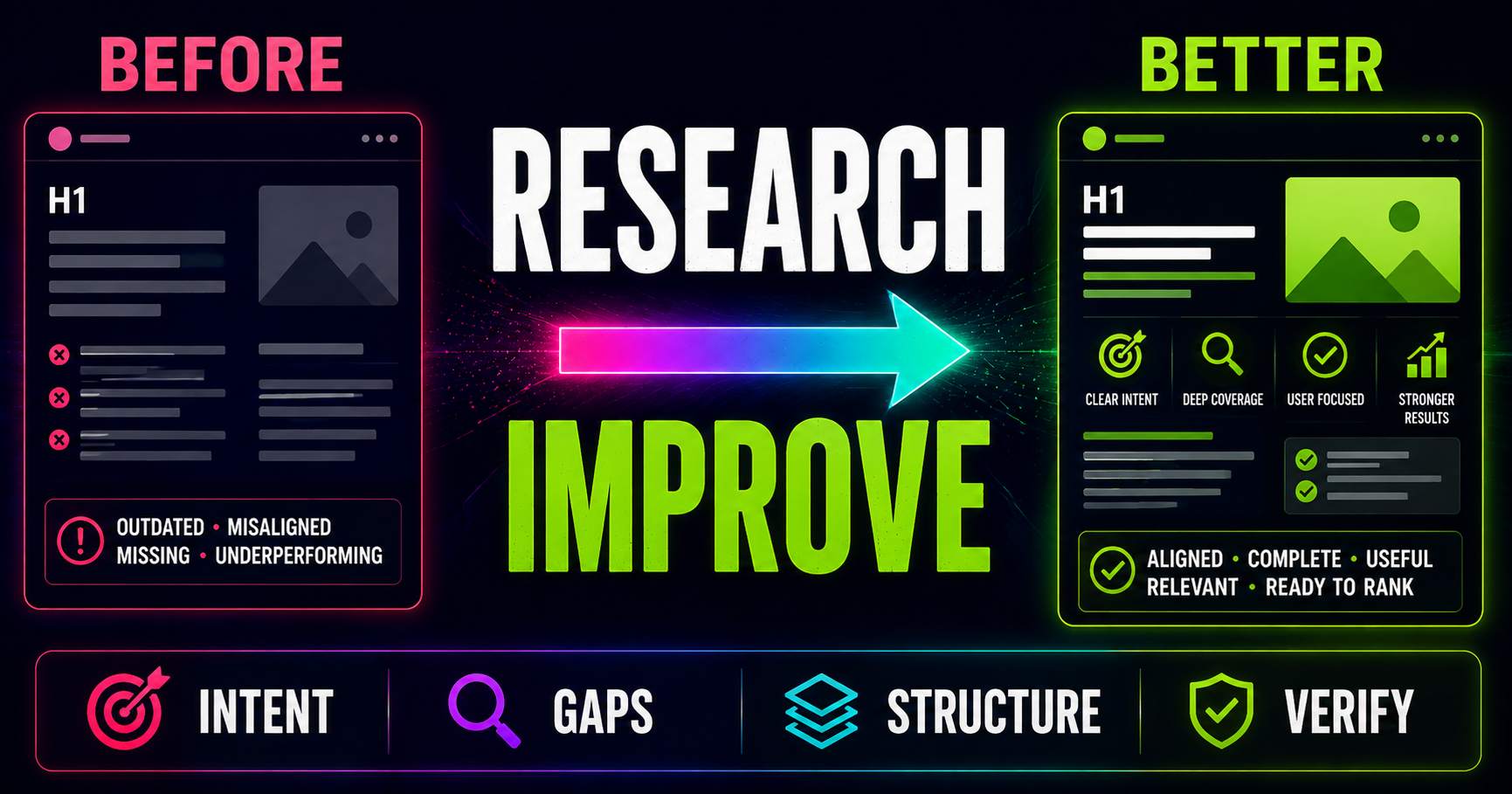
Keyword Research for Existing Pages: What Should You Improve?
Keyword research is not only for new content. Learn how to compare an existing page with current search intent, SERP patterns, related questions and content gaps to decide what actually needs improving.
Read guide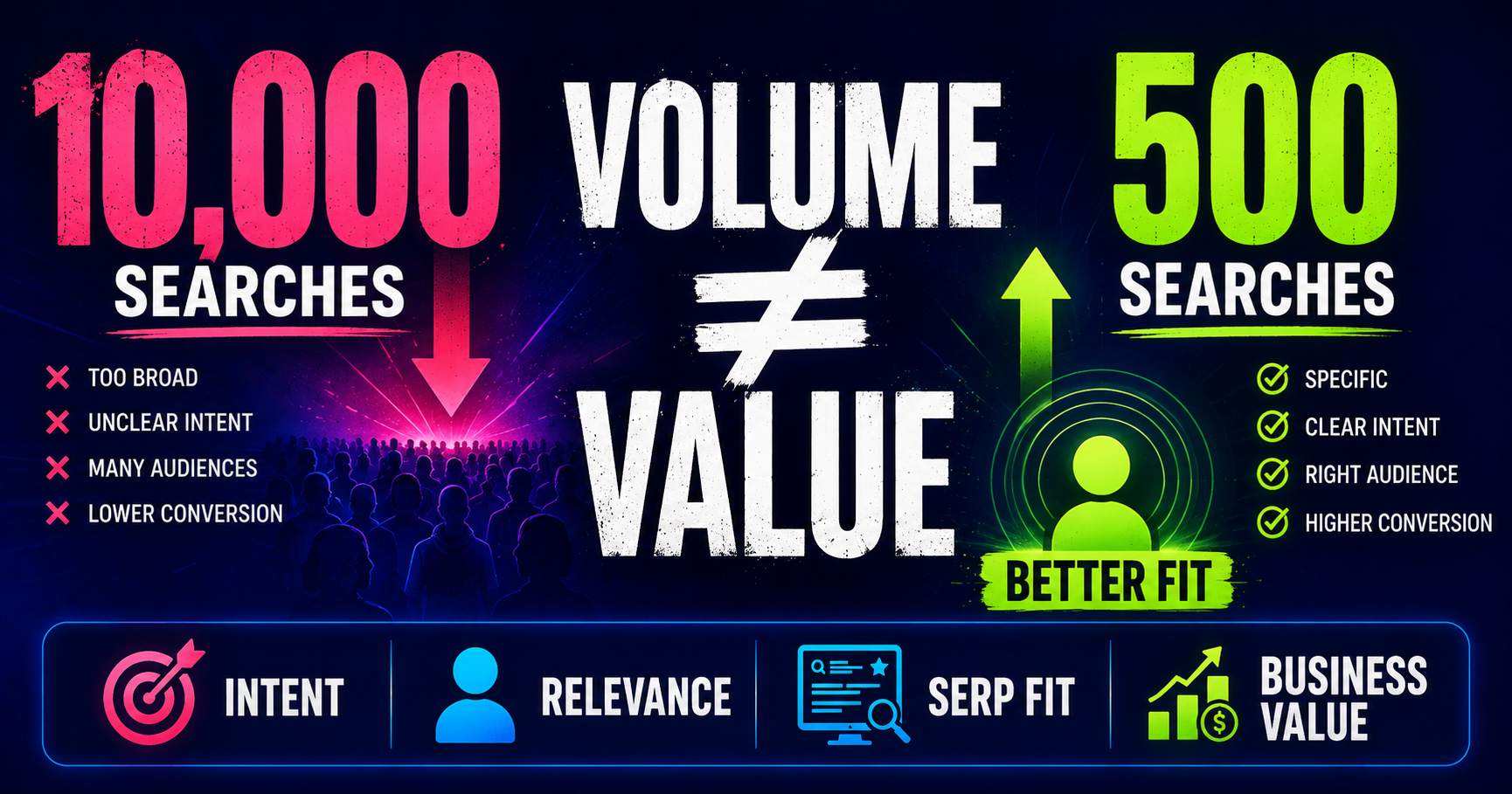
Search Volume Isn’t the Whole Story
Search volume can help you understand demand, but a bigger number does not automatically mean a better keyword. Learn how relevance, intent, specificity, SERP context and business value change the decision.
Read guide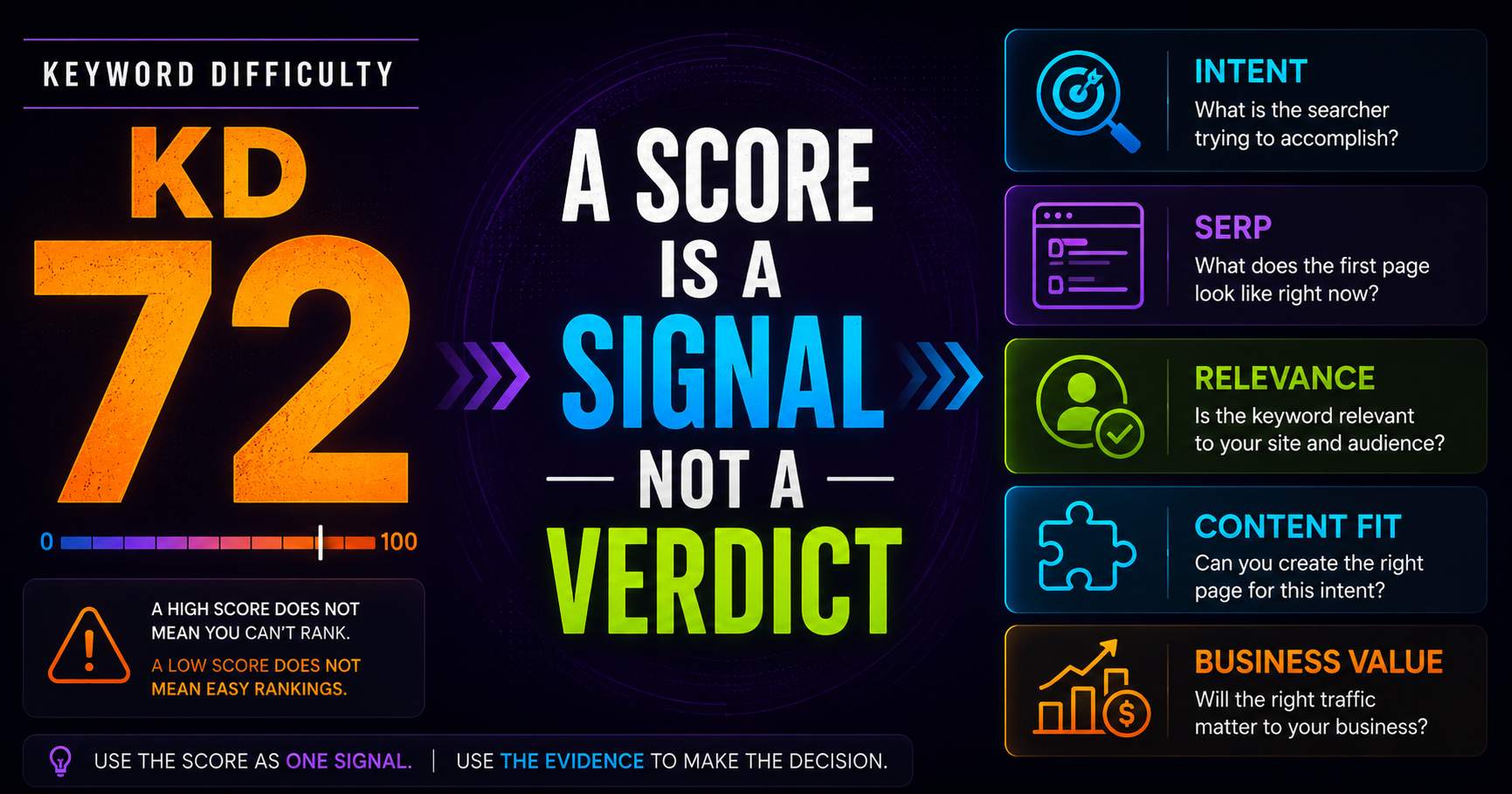
Keyword Difficulty: What the Number Does - and Doesn’t - Tell You
Keyword difficulty can be a useful comparison metric, but it is not a prediction of whether your page can rank. Learn what the score represents, what it leaves out, and how to use it alongside real SERP evidence.
Read guidePut this into practice
See what applies to your page.
Start with a one-page review, then run a full site audit when you are ready.