
Guide · SEO
Do You Need to Know SEO to Use Fridica?
SEO tools can feel like dashboards built for people who already know what every metric means. Fridica takes a different approach: start with what needs attention, explain why it matters, and show you what you can do next.
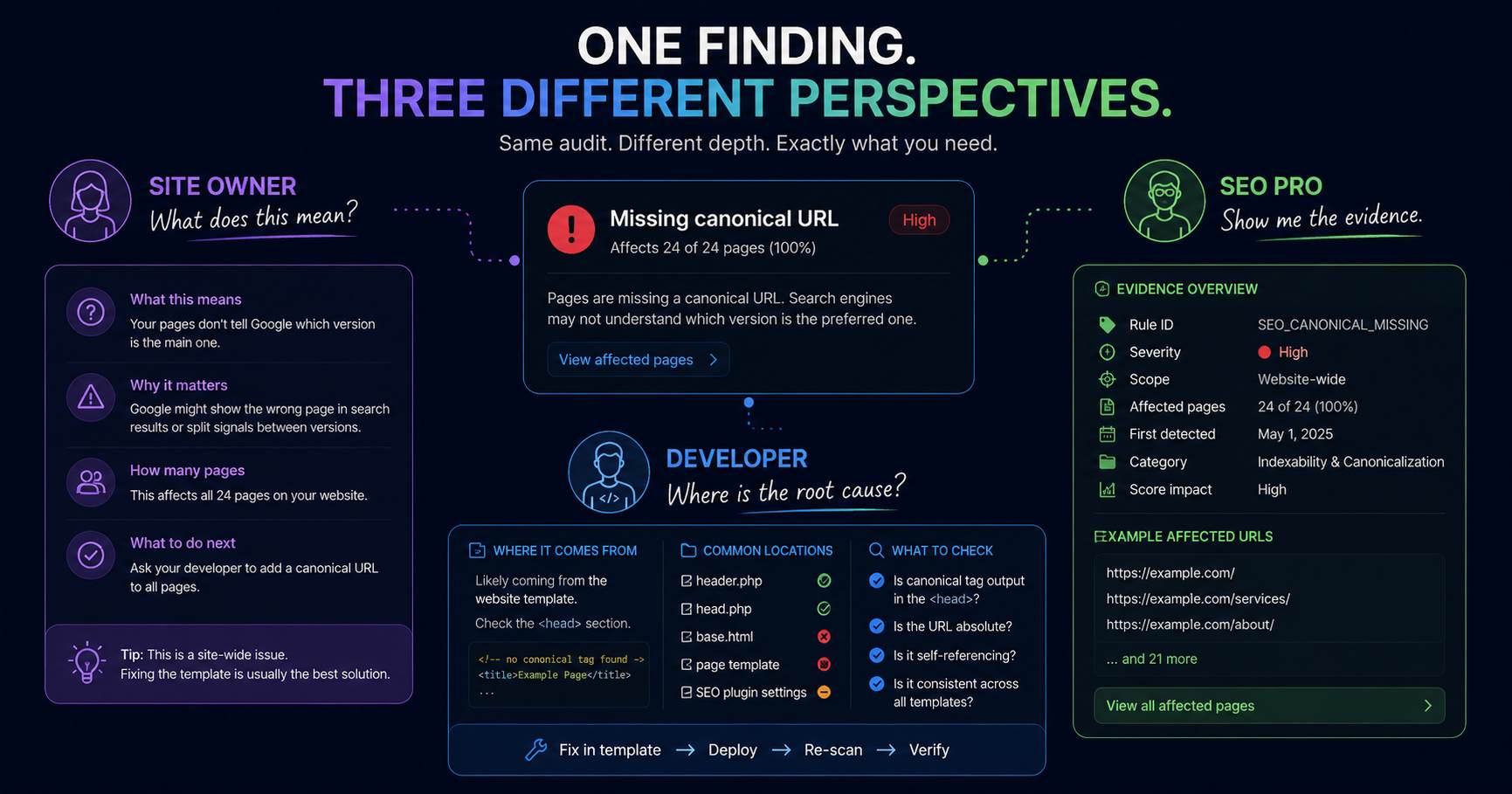
You open an SEO tool.
The dashboard greets you with:
- a health score;
- organic traffic estimates;
- domain metrics;
- keyword charts;
- crawl statistics;
- dozens of filters;
- and several abbreviations you are apparently expected to already understand.
Then comes the obvious question:
“Okay... what am I supposed to do with all of this?”
That question is one of the reasons Fridica exists.
You should not need to become an SEO specialist just to understand whether your website has a problem worth looking at.
At the same time, an experienced developer or SEO professional should not be forced into a simplified interface that hides all the useful evidence.
Fridica tries to support both.
Simple enough to understand. Detailed enough to inspect.
So, do you need to know SEO?
No.
You can use Fridica without knowing what every technical SEO term means.
You do not need to memorize:
- canonicalization rules;
- structured-data vocabulary;
- robots directives;
- heading semantics;
- answer-readiness terminology;
- or every possible reason a crawler might behave differently.
What you do need is a much smaller set of questions:
- What needs attention?
- Why does it matter?
- How much of my website does it affect?
- What should I look at first?
- How might I fix it?
- Did my change actually work?
Those questions are useful whether you run a local business website, manage an NGO, build WordPress sites for clients or work in SEO every day.
SEO tools often start with metrics
There is nothing wrong with metrics.
They can be extremely useful.
The problem starts when a tool gives you a number without helping you understand the decision behind it.
For example:
SEO Readiness: 91/100
That sounds good.
But what should you do next?
Maybe nothing.
Maybe one important technical issue affects every page.
Maybe several small issues are easy to clean up.
Maybe the score is high because most checks passed while one site-wide check did not.
A score can help you orient yourself.
It cannot replace the findings underneath it.
Fridica starts closer to the actual problem
Instead of expecting you to translate a dashboard into work, Fridica tries to keep the path closer to:
Problem → explanation → priority → action → verification.
That is the same idea behind the main workflow:
SCAN → UNDERSTAND → PLAN → FIX → VERIFY
You can stop at the level of detail you need.
If you simply want to know:
“What is wrong with my website?”
you can stay close to the findings and plain-language explanations.
If you want to inspect the underlying evidence, affected URLs and technical signals, they are there too.
Imagine you own a small business website
You probably did not wake up this morning excited to investigate canonical URLs.
Fair enough.
You have a business to run.
What you actually want to know is something like:
“Is there anything on my website that I should ask my developer to fix?”
A Full Website Audit might show:
Missing canonical URL — 18 of 18 pages affected.
You do not necessarily need to understand the entire technical history of canonicalization.
You need enough context to understand:
- this is repeated across the whole website;
- it may come from a shared configuration;
- it is worth investigating;
- and your developer should probably look at the website-wide setup rather than manually editing 18 pages.
That is already useful.
Ask Fridica when the terminology gets annoying
SEO has a remarkable ability to give simple ideas complicated names.
So if a finding says:
Canonical issue
and your reaction is:
“Wonderful. And in normal human language?”
you can Ask Fridica.
For example:
- What does this mean?
- Why does this matter?
- Is this affecting the whole website?
- What should I tell my developer?
- Which findings should I care about first?
The underlying audit result does not change because you asked the question differently.
The deterministic audit remains the source of the finding.
AI helps explain what the audit already found.
You also do not need to decide the entire priority order yourself
A common problem after an audit is not understanding a finding.
It is understanding which finding comes first.
Imagine seeing:
- 3 high-severity findings;
- 11 medium findings;
- 12 lower-priority findings;
- several affected URLs for each one.
That is better than having no information.
But it can still feel like someone handed you a nicely formatted headache.
That is where Create My Fix Plan helps.
It organizes existing deterministic findings into a more practical order such as:
- Start here;
- Quick wins;
- Can wait.
You still make the final decision.
But you do not need to manually compare every warning from scratch.
What if you actually want help fixing the problem?
Some users want explanation.
Others immediately want:
“Fine. Show me what I should change.”
For supported findings, Fix Assistant can provide reviewable guidance based on the affected page and evidence already captured by the audit.
That might include:
- a suggested meta description;
- a clearer page title;
- a better heading hierarchy;
- more descriptive link text;
- or implementation guidance for supported canonical and structured-data findings.
Fridica does not silently edit your website.
The suggestion is there for you, your developer or your SEO professional to review.
That means a non-technical site owner can still participate in the process without pretending to be the person who should edit production code.
What if you are a developer?
Then you probably want more than:
“Your website has some SEO problems.”
Thankfully.
For developers and freelancers, the interesting parts often include:
- which URLs are affected;
- whether the issue is page-level or site-wide;
- how prevalent it is across the crawl;
- what evidence was captured;
- whether the problem suggests a shared template;
- what changed after deployment.
Imagine:
Missing meta descriptions — 29 of 30 pages.
A site owner may read that as:
“This affects almost my entire website.”
A developer may immediately think:
“I should inspect the template or metadata generation logic before touching individual pages.”
Same finding.
Different level of interpretation.
That is exactly how it should work.
Developers can use Fridica as part of website QA
A useful workflow around a launch or client handoff can be:
- Run a Full Website Audit.
- Review site-wide and high-prevalence findings.
- Fix template, metadata or structural issues.
- Deploy the changes.
- Run another audit.
- Compare the new audit with the previous one.
- Review anything still present or newly introduced.
Fridica does not replace browser testing, accessibility testing, performance testing or manual QA.
It gives you another structured view of the public website.
What if you are an SEO professional?
Then the simplified explanation is probably not the main reason you are here.
You may care more about:
- deterministic rules;
- severity;
- rule weight;
- scope;
- affected-page counts;
- representative URLs;
- captured evidence;
- discoverability signals;
- technical indexability signals;
- structured-data identity;
- and audit-to-audit comparison.
That information should not disappear simply because Fridica also wants to be understandable to a site owner.
Accessibility and technical depth are not opposites.
Fridica is not trying to replace an SEO professional
This is worth stating clearly.
An automated audit sees the signals it has been designed to inspect.
An experienced SEO professional brings much more context:
- business goals;
- competitive research;
- search demand;
- content strategy;
- market knowledge;
- historical performance;
- Search Console data;
- analytics;
- and judgment that cannot be reduced to one crawl.
Fridica can help make website-level technical and structural evidence easier to inspect.
It does not turn one audit into an entire SEO strategy.
And Fridica is not trying to make site owners become SEO professionals
The opposite problem matters too.
A small business owner should not need a two-week training course before being allowed to understand their own website audit.
You should be able to see:
“This affects every page.”
“This is probably worth fixing first.”
“Here is why it matters.”
“Here are the pages involved.”
“Here is something I can send to my developer.”
That is useful even if you never learn the difference between every type of robots directive.
There are really two layers in a good audit
One way to think about Fridica is that the same audit can serve two layers.
The action layer
This answers:
- What is wrong?
- Why does it matter?
- How widespread is it?
- What should I do first?
- What happened after I fixed it?
This is the layer most site owners need first.
The evidence layer
This includes:
- rule details;
- severity and weight;
- scope;
- affected URLs;
- captured evidence;
- technical context;
- and comparison lifecycle.
Developers and SEO professionals are more likely to spend time here.
You do not need two different audit products.
You need the right level of explanation for the question you are asking.
What about AEO and GEO? Do I need to understand those too?
Not before using Fridica.
AEO and GEO terminology is still unfamiliar to many people.
That is okay.
At a practical level, you can think of them as additional perspectives on how clearly your website communicates information and source identity.
Fridica's AEO checks focus on structural answer-readiness.
Fridica's GEO checks focus on structured source-readiness.
You can learn the terminology gradually in the Academy when it becomes useful.
You do not need to pass an exam before running an audit.
The Academy is there when you want the deeper explanation
Sometimes a short explanation is enough.
Sometimes you want to understand the topic properly.
That is where Fridica Academy fits.
For example:
A finding may tell you that a canonical signal needs attention.
Ask Fridica can explain the current finding.
A full Academy guide can then explain:
- what canonical URLs are;
- why they exist;
- where they appear;
- common implementation mistakes;
- and how to verify them afterwards.
You choose how deep you want to go.
You can also start with just one page
If running a complete website audit feels like too much, start smaller.
A Single Page Audit lets you inspect one public URL.
That can be useful if you:
- just published an article;
- built a new landing page;
- updated an important service page;
- or simply want to see what Fridica looks for.
You can learn the system one page at a time.
What Fridica cannot decide for you
Making the interface easier to understand does not mean pretending every answer is simple.
Fridica cannot know:
- which product is most important to your business;
- which page produces the most revenue;
- which keyword you are strategically targeting;
- which development task fits this week's budget;
- or whether an unusual technical choice is intentional.
The audit gives you evidence.
AI can help interpret and organize that evidence.
You still bring the context.
And it cannot promise rankings
An understandable SEO tool should not become an overconfident SEO tool.
Fridica does not promise that fixing an audit finding will:
- move you to position #1;
- increase organic traffic;
- guarantee indexing;
- or make an AI system cite your website.
Those outcomes depend on systems and information outside a deterministic website audit.
Fridica focuses on something much more concrete:
the signals it can actually inspect on the website.
Three people can look at the same finding differently
Imagine:
Duplicate titles — 7 pages affected.
The site owner
“Is this something important enough to ask someone to fix?”
The developer
“Are these titles coming from the same template or content model?”
The SEO professional
“Which URLs are affected, what is their purpose, and what does the evidence show?”
All three questions are valid.
A useful audit should support all three without forcing everyone into the same level of technical language.
The goal is not to make SEO look easy
SEO is not always easy.
Websites are not always simple.
Sometimes the correct answer genuinely is:
“This needs developer review.”
Sometimes it is:
“We do not have enough evidence to safely determine that.”
And sometimes it is:
“Yes, this one is just a missing meta description. You can probably fix it in five minutes.”
The goal is not to hide complexity.
It is to avoid adding unnecessary complexity on top of it.
A simple way to use Fridica if you know almost nothing about SEO
Start here:
- Run the audit.
- Look at the top findings instead of obsessing over the score.
- Check how many pages each issue affects.
- Ask Fridica to explain anything you do not understand.
- Create a Fix Plan.
- Handle the changes you understand yourself.
- Send technical issues to someone who should handle them.
- Re-scan after the changes.
- Check what was actually resolved.
That is enough.
You can learn everything else as you go.
The short version
No, you do not need to know SEO to use Fridica.
You need to be able to ask:
What needs attention?
Why?
What should I do first?
Who should fix it?
Did the change work?
Fridica helps make those questions easier to answer.
And when you want the technical detail, it does not hide it from you.
Clear enough for site owners. Detailed enough for developers and SEO professionals.
Keep learning
Related SEO guides
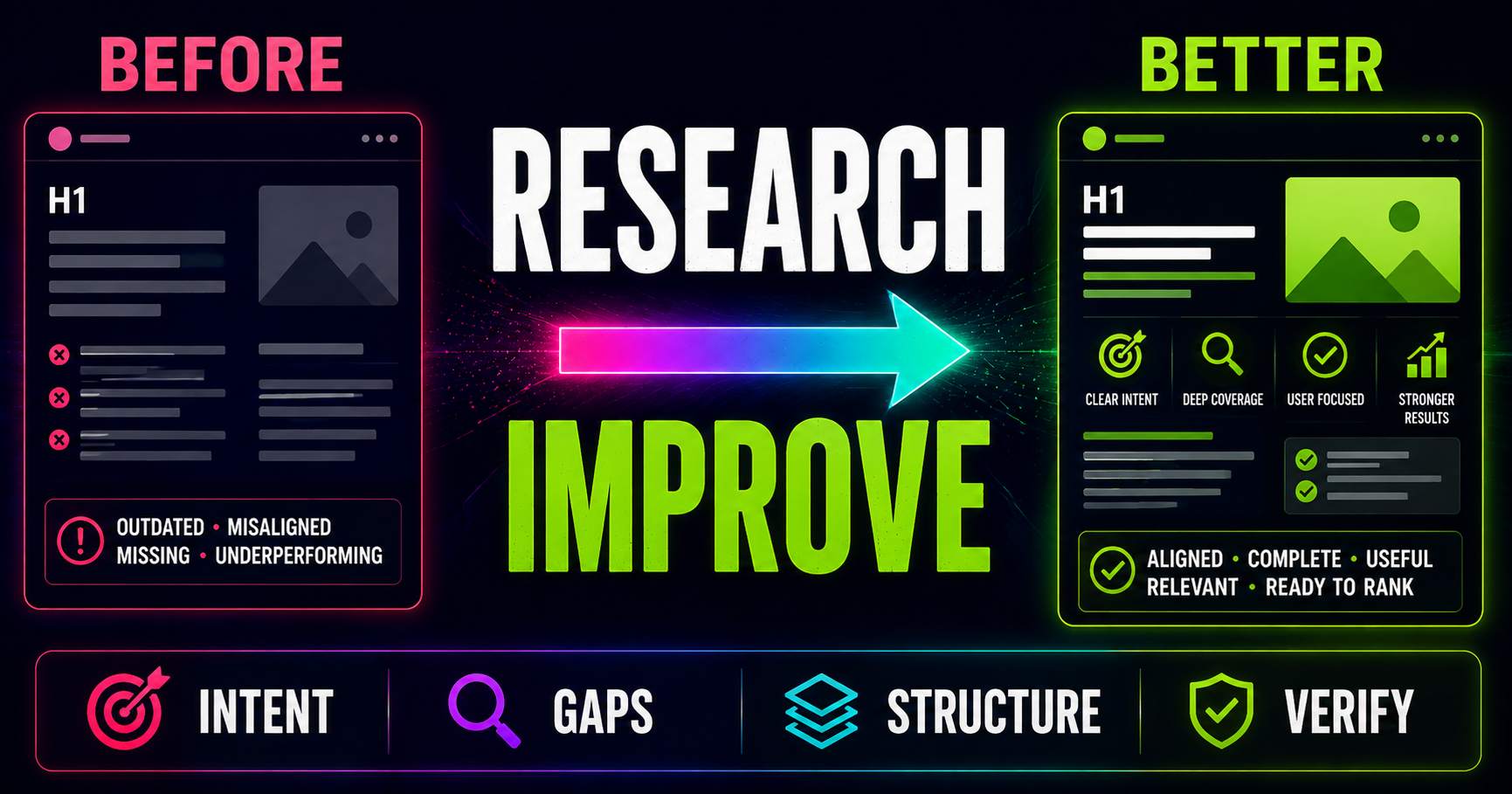
Keyword Research for Existing Pages: What Should You Improve?
Keyword research is not only for new content. Learn how to compare an existing page with current search intent, SERP patterns, related questions and content gaps to decide what actually needs improving.
Read guide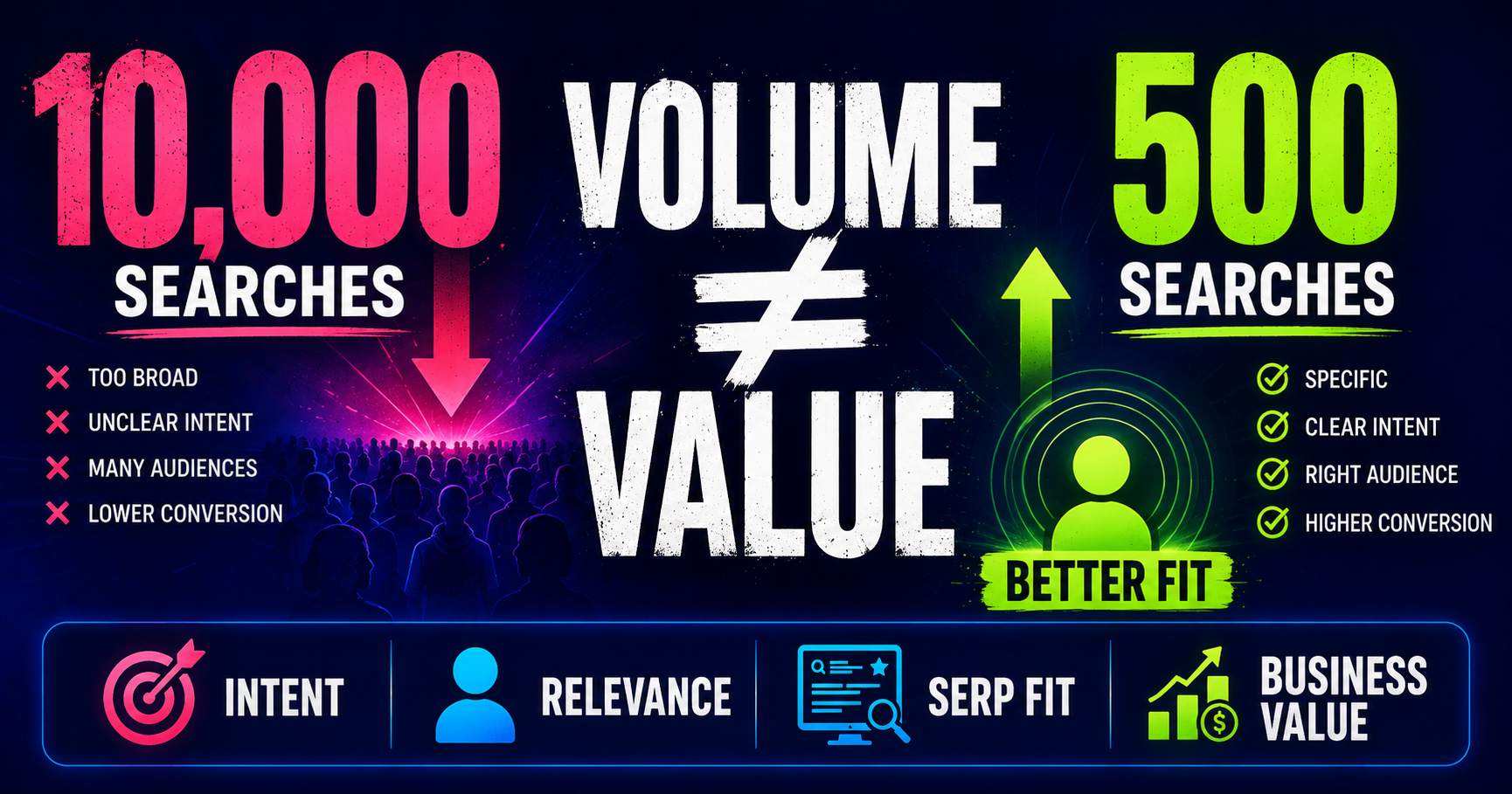
Search Volume Isn’t the Whole Story
Search volume can help you understand demand, but a bigger number does not automatically mean a better keyword. Learn how relevance, intent, specificity, SERP context and business value change the decision.
Read guide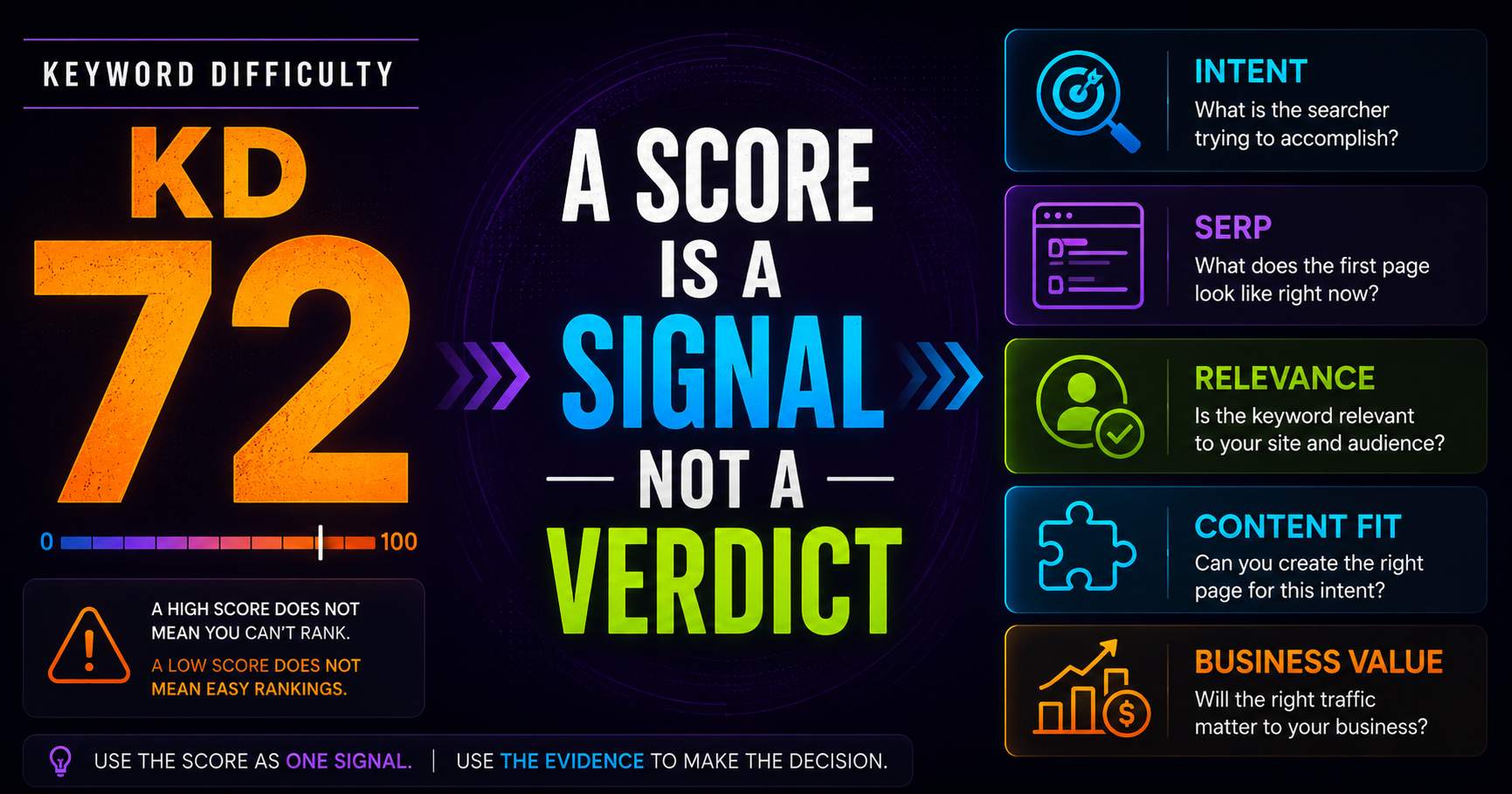
Keyword Difficulty: What the Number Does - and Doesn’t - Tell You
Keyword difficulty can be a useful comparison metric, but it is not a prediction of whether your page can rank. Learn what the score represents, what it leaves out, and how to use it alongside real SERP evidence.
Read guidePut this into practice
See what applies to your page.
Start with a one-page review, then run a full site audit when you are ready.