
Guide · Technical SEO
How Search Engines Discover and Crawl Your Website
Learn how crawlers find pages, what robots.txt and XML sitemaps actually do, and how to understand Fridica’s Discoverability and Technical Indexability Signals.
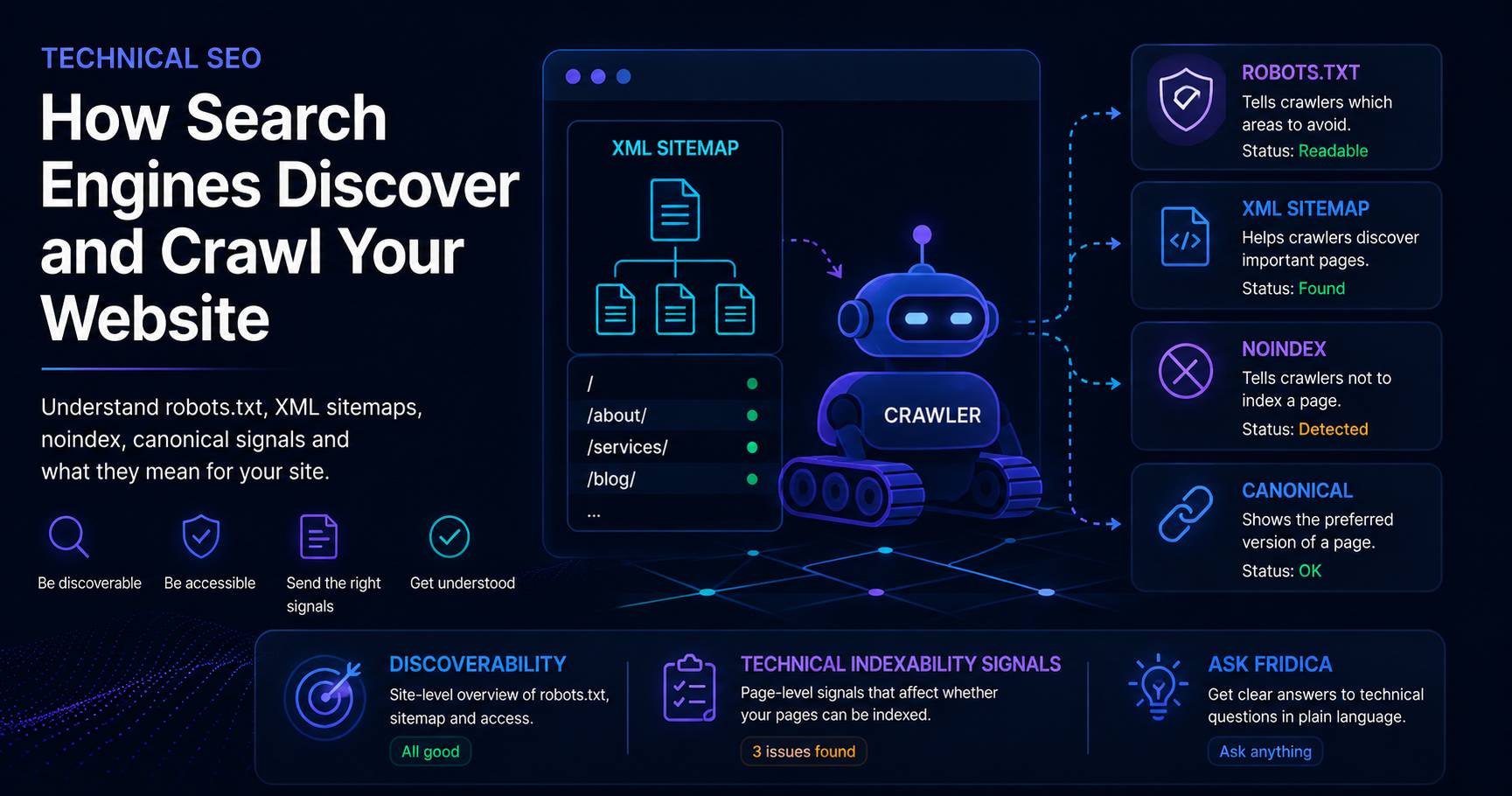
Before a search engine can understand a page, it first has to find it and successfully access it.
That sounds obvious, but it is one of the easiest parts of SEO to overlook.
You can write an excellent article, create useful structured data, and carefully optimize your page title — but if crawlers cannot reach the page or receive signals telling them not to index it, those improvements may not have the effect you expect.
This is why Fridica looks at more than titles, descriptions, and headings.
It also asks a very practical question:
Can search systems find and access the pages you intend them to see?
Think of your website as a building
Imagine someone visiting a building for the first time.
They need:
- a way to reach the building;
- doors that actually open;
- signs showing where they may or may not go;
- some idea of which rooms exist;
- clear labels identifying important destinations.
A crawler faces a surprisingly similar problem.
It follows links, requests URLs, interprets technical instructions, and tries to understand which pages belong to the website.
Files such as robots.txt and XML sitemaps can provide additional clues.
But none of these elements works like a magical “index my website” button.
What is crawlability?
Crawlability describes whether an automated crawler can request and inspect a page.
When Fridica audits a public website, it performs its own bounded crawl and observes what the site actually returns.
For example, a page might:
- return a successful response;
- redirect somewhere else;
- return an error;
- contain a
noindexdirective; - provide an unexpected canonical URL;
- be affected by a site-wide robots rule.
These are observable technical signals.
Fridica can report them without pretending to know what Google has actually done with the page.
What is robots.txt?
The robots.txt file is normally located at the root of a website:
https://example.com/robots.txt
It can provide instructions to crawlers about areas of a website they should not crawl.
A very simple example might look like this:
User-agent: *
Disallow: /private/
This tells crawlers matching that rule not to crawl URLs under /private/.
One particularly important configuration is:
User-agent: *
Disallow: /
That is a broad instruction asking matching crawlers not to crawl the website.
Sometimes this is intentional — for example on a staging site.
On a public production website, however, it is worth reviewing carefully.
What Fridica checks in robots.txt
Fridica keeps this check deliberately conservative.
It can determine whether the public robots.txt file is readable and inspect supported signals such as a simple wildcard site-wide block.
It does not try to simulate every possible crawler, every user-agent combination, or every complex robots policy.
That is an important design choice.
If Fridica does not have enough deterministic evidence to call something a problem, it should not invent one.
What is an XML sitemap?
An XML sitemap is a machine-readable list of URLs that a website wants to expose for discovery.
A simple sitemap can look like this:
<urlset>
    <url>
        <loc>https://example.com/</loc>
    </url>
    <url>
        <loc>https://example.com/about/</loc>
    </url>
</urlset>
Larger websites may use a sitemap index that points to several separate sitemap files.
A sitemap can help expose URLs, but having one does not guarantee that every listed page will be indexed.
Likewise, a website without a sitemap is not automatically broken.
That distinction is reflected in Fridica’s scoring.
How Fridica treats sitemap presence
Fridica does not award artificial SEO points simply because a sitemap exists.
Instead, it looks for concrete observable problems.
For example, Fridica can inspect whether:
- a sitemap can be discovered;
- a declared sitemap can be fetched;
- the fetched XML is structurally usable;
- entries contain malformed URLs;
- URLs unexpectedly point to another host;
- duplicate entries appear;
- a safety bound limited how much could be inspected.
The important idea is simple:
Presence alone is not the same thing as quality.
What does Discoverability mean in Fridica?
In a Full Website Audit, Fridica displays a separate Discoverability section.
This is intentionally not another score.
It summarizes useful site-level information such as:
- whether
robots.txtwas available; - whether a sitemap was discovered;
- how many URLs were declared in the inspected sitemap data;
- whether there are concrete issues worth reviewing.
For example, you might see:
robots.txt: Readable · Sitemap: Found
That is useful evidence about the website’s public technical setup.
It is not a statement that every page is indexed.
And what are Technical Indexability Signals?
This section looks at signals observed directly on the pages Fridica successfully inspected.
These can include:
- successful final page responses;
- detected
noindexdirectives; - missing or problematic canonical signals;
- supported wildcard robots blocking;
X-Robots-Tagdirectives when they were captured.
Think of this section as a technical health summary for the pages Fridica actually observed.
What does noindex mean?
A page can contain a robots directive such as:
<meta name="robots" content="noindex">
A server can also communicate a similar instruction through the X-Robots-Tag response header.
When Fridica detects a supported noindex signal, it reports it as an indexability warning.
That does not mean the directive is necessarily a mistake.
You may intentionally want pages such as internal search results, private utility pages, or certain archives excluded from search.
The important question is:
Is the noindex directive intentional?
What does a canonical URL have to do with this?
A canonical URL helps identify the preferred public version of a page when several URLs may represent similar or equivalent content.
For example:
<link rel="canonical" href="https://example.com/preferred-page/">
Fridica can inspect the canonical signal exposed by the page and report issues when the expected signal is missing or problematic.
Again, Fridica is evaluating the markup it can observe.
It is not claiming to know which URL a search engine ultimately selected for indexing.
Crawled does not mean indexed
This distinction is worth remembering.
A crawler successfully accessing a page does not prove that the page is indexed.
Likewise, a sitemap containing a URL does not prove that the URL appears in search results.
Fridica therefore avoids saying:
“This page is indexed.”
Instead, it reports the technical signals it actually observed.
That is why the interface explicitly says:
This does not verify actual search-engine indexing.
Why doesn't Fridica simply score everything?
Because not every technical detail deserves a penalty.
For example, the absence of an optional resource should not automatically lower a score if there is no demonstrated technical problem.
Fridica tries to separate:
- useful information;
- concrete warnings;
- actual failures;
- checks that are not applicable.
This helps keep the readiness score tied to observable problems instead of turning every recommendation into another deduction.
What should you fix first?
If Fridica reports several technical issues, start with anything that can prevent intended pages from being accessed or understood correctly.
A practical order might be:
- Review unintended site-wide blocking.
- Review unexpected
noindexdirectives. - Fix broken or unavailable pages.
- Review canonical problems.
- Fix malformed sitemap resources.
- Then work through lower-priority informational findings.
The exact priority depends on the findings in your own audit.
That is why Fridica shows prioritized recommendations rather than presenting every issue as equally urgent.
Ask Fridica when the technical language gets annoying
Technical SEO terminology can become unnecessarily intimidating.
If you see something like:
Missing canonical URL
or:
Declared sitemap unusable
you do not need to memorize a technical manual before taking the next step.
Ask Fridica can explain the finding in the context of your actual audit.
You can ask questions such as:
- What should I fix first?
- Why does this canonical issue matter?
- Is my website blocked by robots.txt?
- What does noindex mean?
The answer is based on findings the deterministic audit has already produced.
Fridica explains the evidence. It does not invent the evidence.
The goal of technical SEO
Technical SEO does not have to become a competition to collect as many green checkmarks as possible.
The more useful goal is:
Make the public pages you care about accessible, clearly identified, and technically understandable.
Fridica helps you see where those signals look healthy, where something deserves attention, and what you can check next.
Keep learning
Related Technical SEO guides
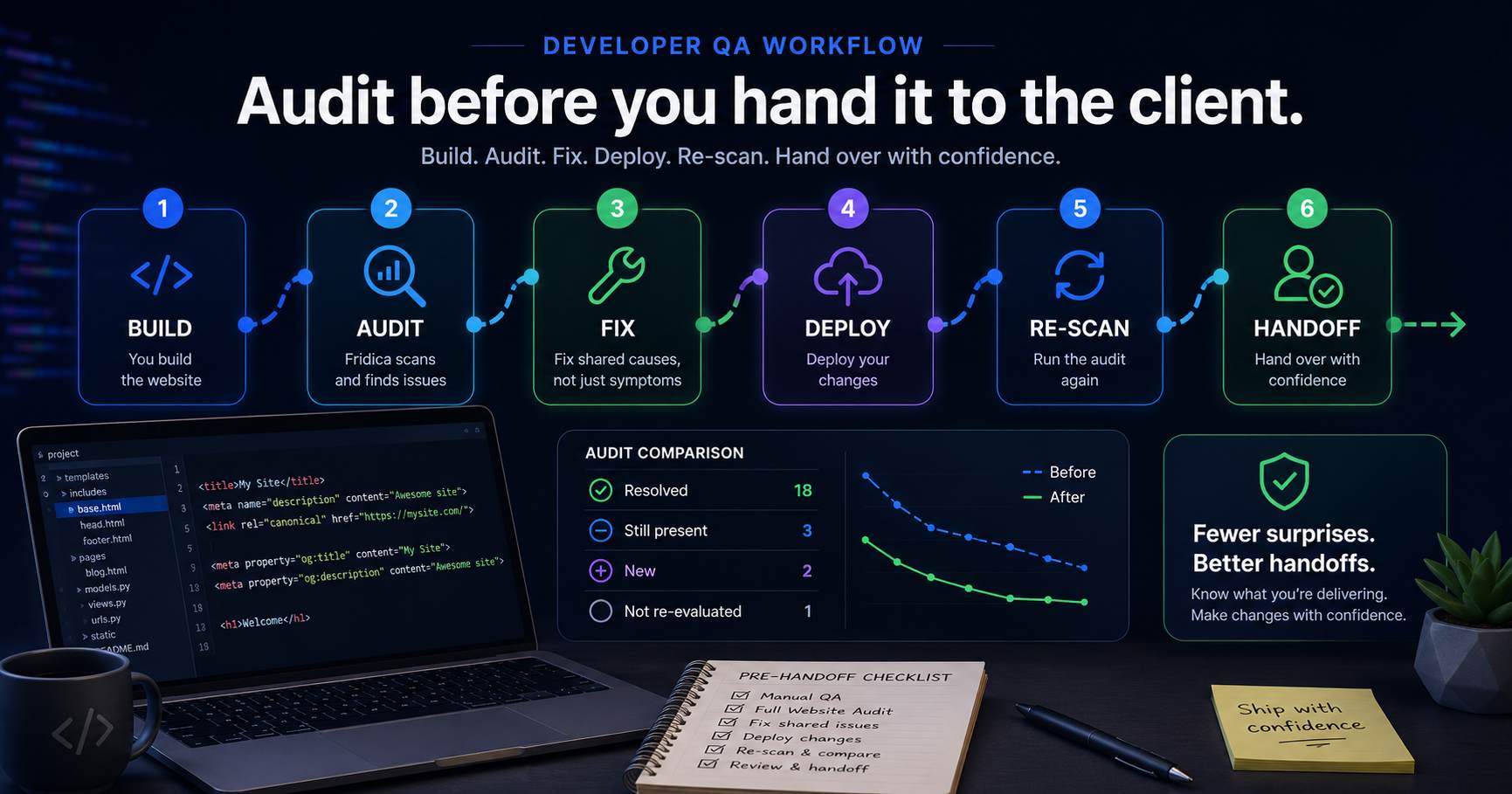
Fridica for Developers: Audit Before You Hand the Site to a Client
Your website looks finished, the client is waiting, and launch day is close. Before you hand it over, use a structured audit to catch recurring metadata, crawlability and page-level issues — then re-scan after the fixes.
Read guidePut this into practice
See what applies to your page.
Start with a one-page review, then run a full site audit when you are ready.